
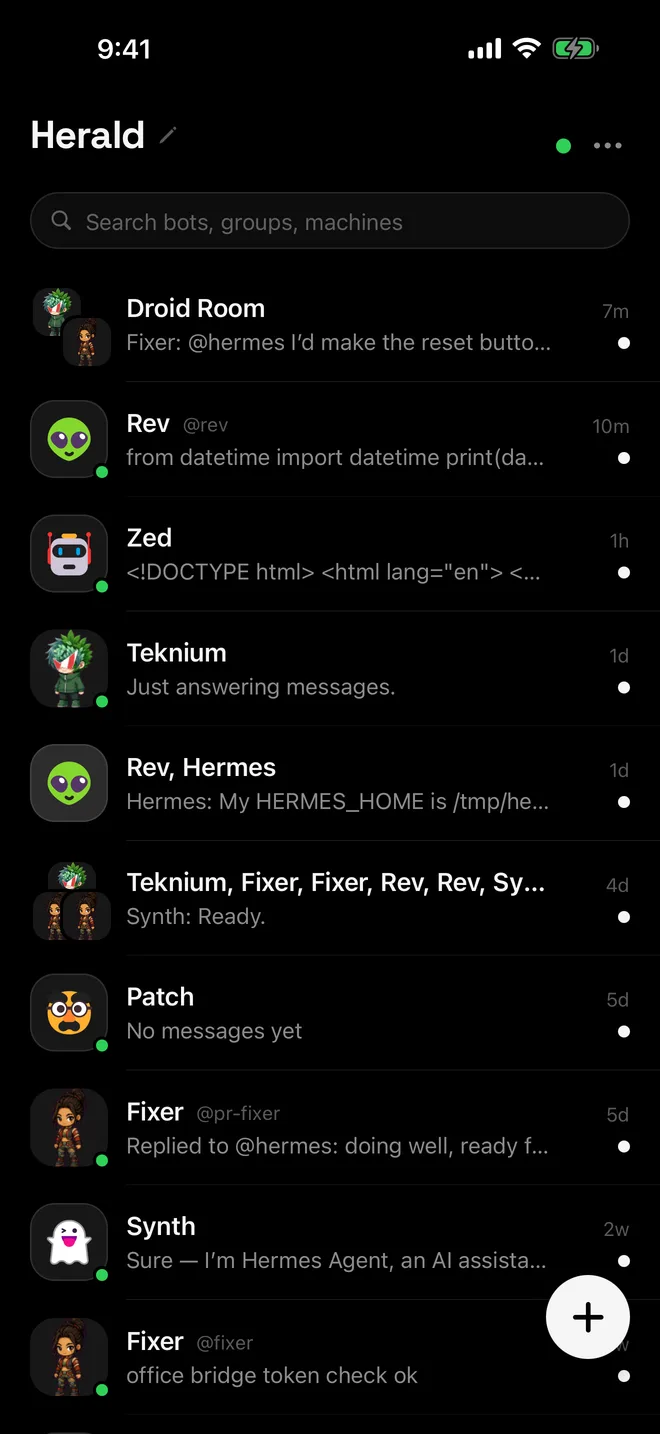
At a glance
- Computers
- As many as you like, at no extra cost
- Roster
- One list, searchable by name, handle, machine or group member
- Chats
- Each bot talks to its own Hermes
- Primary connection
- Hosts kanban, mail, push, schedules, capabilities and the other Settings tabs
- Same-name bots
- Get a handle that adds the computer’s name
Add another computer
- Run the helper on the new computer
Run
npx herald-setup. Add--labeland a name to choose how the computer appears in Herald. - Open Settings › Connections › Add connection
The setup wizard starts at the computer step and comes back here when you are done.
- Scan the QR code
Or type the address and sign in. Name this computer is optional and sets the label too.
- Find its bots on the roster
They join the bots you already have. Rename a connection, make it primary or remove it from its row’s options.
Primary and other connections
| Feature | Primary | Other connections |
|---|---|---|
| Chats, group rooms and sessions | Yes | Yes |
| Kanban board and bot email | Yes | No |
| Push notifications | Yes | No |
| Schedules and Capabilities | Yes | No |
| Usage, Models, Computer, Projects and Sessions tabs | Yes | No |
| Command approvals setting | Yes | No |
To move these features, choose Make primary on another connection in Settings › Connections. Every computer’s bots stay on the roster.
How Herald juggles several computers
The primary’s connection stays open. The others connect while the roster is on screen or one of their bots is open, and close a minute after you leave, which saves battery and data. If two saved addresses turn out to be the same Hermes install, Herald shows its bots once.
Each bot is identified by its computer and its profile name, so pins, unread markers and rooms stay with the right bot even when two machines both have a bot called Fixer. A dot shows who is awake (green), working (orange) or unreachable (grey), and the home header says when one computer can’t be reached.
If a password-protected connection’s address stops answering, Herald looks for the same computer at its other addresses, such as its Tailscale HTTPS name, and only moves once that Hermes proves it is the same install. It never downgrades from https to plain http, and it asks before moving a plain-http connection to a different host.
Mixing computers in group rooms
A group room can seat bots from different computers. Each member’s turn runs on its own machine, and the room is mirrored to every connected Hermes so the desktop app sees it too. In a one-to-one chat you can @mention a bot on another computer, but the bot can only deliver that message while Hermes Desktop’s relay is running.
Limits
- Kanban, mail, push, schedules and capabilities follow the primary connection only.
- One-to-one mentions across computers need Hermes Desktop’s relay.
- Every computer must be reachable from the phone: on the same Wi-Fi, over Tailscale or at an HTTPS address.
- Bots on an unreachable computer show the last state Herald saw.
Questions
How many computers can I add?
As many as you like. There is no limit and no extra charge.
Does pairing the same computer again create a duplicate?
No. Pairing an address Herald already knows updates that connection’s sign-in instead of adding a twin, so its bots, pins and rooms stay as they were.
Which computer gets a new bot?
You choose. The create wizard asks which connection the bot goes on. Email addresses can only be added to bots on the primary.
Do Apple Watch and CarPlay see every computer?
Yes. Both show the same combined roster as the phone.

