
Is a Raspberry Pi enough?
Hermes Agent supports Linux on aarch64 (64-bit ARM) through its standard installer, and it builds and tests arm64 Docker images too. Its docs don’t mention the Raspberry Pi by name, so treat a Pi as an ordinary 64-bit Linux machine. A Debian-based 64-bit OS, such as Raspberry Pi OS (64-bit), has glibc and systemd, which Hermes’ docs say makes a distribution likely to work well.
The Pi runs the agent, its memory and its tools. With a hosted model provider, the model runs at the provider, not on the Pi. Running a local model on the Pi is a much heavier job, and Hermes doesn’t publish Raspberry Pi requirements or benchmarks.
Requirements
- Operating system
- A 64-bit OS;
uname -mshould printaarch64 - Hermes Agent
- The standard Linux installer
- Node.js
- 20 or newer, for
npx herald-setup - Tailscale
- Its install script supports Raspberry Pi OS
- Access
- SSH, or a keyboard and screen
Install Hermes and pair Herald
- Check the OS is 64-bit
If it prints
armv7lor another 32-bit name, install a 64-bit OS first. Hermes’ support table lists only x86_64 and aarch64 for Linux.uname -m - Install Hermes Agent
The installer also adds browser tools with a pinned Chromium. If you don’t need browser automation, its
--skip-browseroption leaves them out; see the installation guide.curl -fsSL https://hermes-agent.nousresearch.com/install.sh | bash source ~/.bashrc hermes setup - Install Tailscale
Sign in with the same account as your phone.
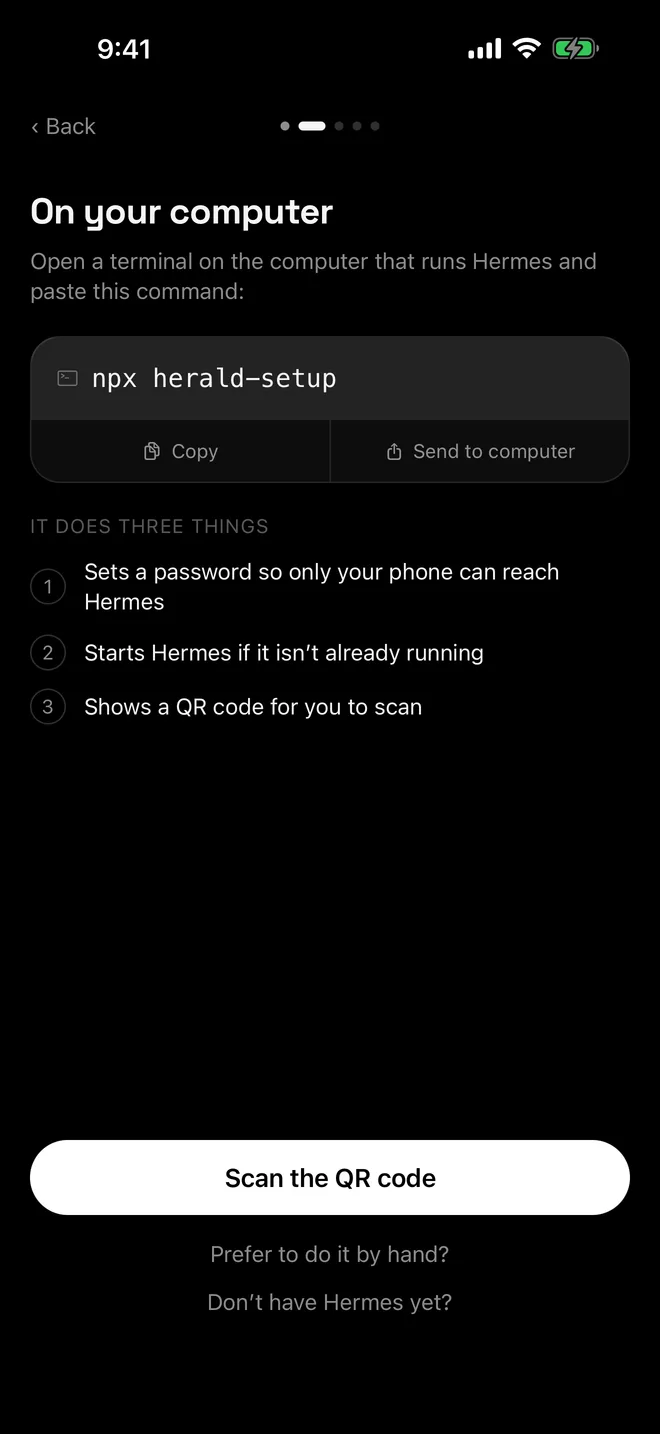
curl -fsSL https://tailscale.com/install.sh | sh sudo tailscale up - Run herald-setup
Running it over SSH is fine: the QR code prints in your terminal. The helper waits up to three minutes for Hermes to answer before it gives up.
npx herald-setup - Scan the QR code in Herald
Tap Scan the QR code in Herald. Keep Tailscale switched on in the phone.
Keep it running
For a Pi that runs all the time, set up the systemd user service from the Linux guide and turn on lingering, so Hermes starts at boot without anyone logging in. Tailscale keeps the Serve mapping across reboots.
If you run herald-setup again later, add --no-serve so it doesn’t compete with the service, and restart the service if it asks. After hermes update, restart the service too, so Hermes runs the new code.
Troubleshooting
- Hermes did not answer within 180 seconds. Run
hermes serve --port 9119in another terminal to see the error, then try again. - The Pi’s Wi-Fi address changed. On Wi-Fi, herald-setup notices, closes the address and asks you to run it again and rescan. A Tailscale name stays the same unless you rename the machine.
- The phone can’t connect. See Herald can’t connect and Tailscale HTTPS certificates.
- Bots are missing. See gateway not running.
Questions
Which Raspberry Pi models work?
Any that runs a 64-bit OS, because Hermes supports Linux on aarch64. Hermes doesn’t publish Raspberry Pi requirements, so there is no official minimum model or memory size.
Can I run a local model on the Pi?
Hermes can use a local model server such as Ollama; see its local model guide. How well a model runs depends on the model and the board, and Hermes doesn’t publish Raspberry Pi benchmarks.
Should I use Docker on the Pi?
You can. Hermes builds and tests arm64 images, and the Docker guide covers pairing Herald with Hermes in a container.
Can my phone reach the Pi without Tailscale?
On the same Wi-Fi, yes: herald-setup uses the Pi’s Wi-Fi address over plain HTTP while it runs. Away from home you need Tailscale or an HTTPS address.

