
Requirements
- Architecture
- x86_64 or aarch64
- Distribution
- One with glibc and systemd; Hermes tests on the latest Ubuntu
- Hermes Agent
hermeson your PATH; the installer adds~/.local/bin- Node.js
- 20 or newer, for
npx herald-setup - Network
- The same LAN as your phone, or Tailscale on both
Install Hermes and pair Herald
- Install Hermes Agent
This is the installer from the Hermes installation guide. On minimal images it may ask for your sudo password once to install
libatomic. Runhermes doctorif anything looks wrong.curl -fsSL https://hermes-agent.nousresearch.com/install.sh | bash source ~/.bashrc hermes setup - Install Tailscale (recommended)
Sign in with the same account you use on your phone. You can skip this if the phone and the computer share a network and you only need Herald at home.
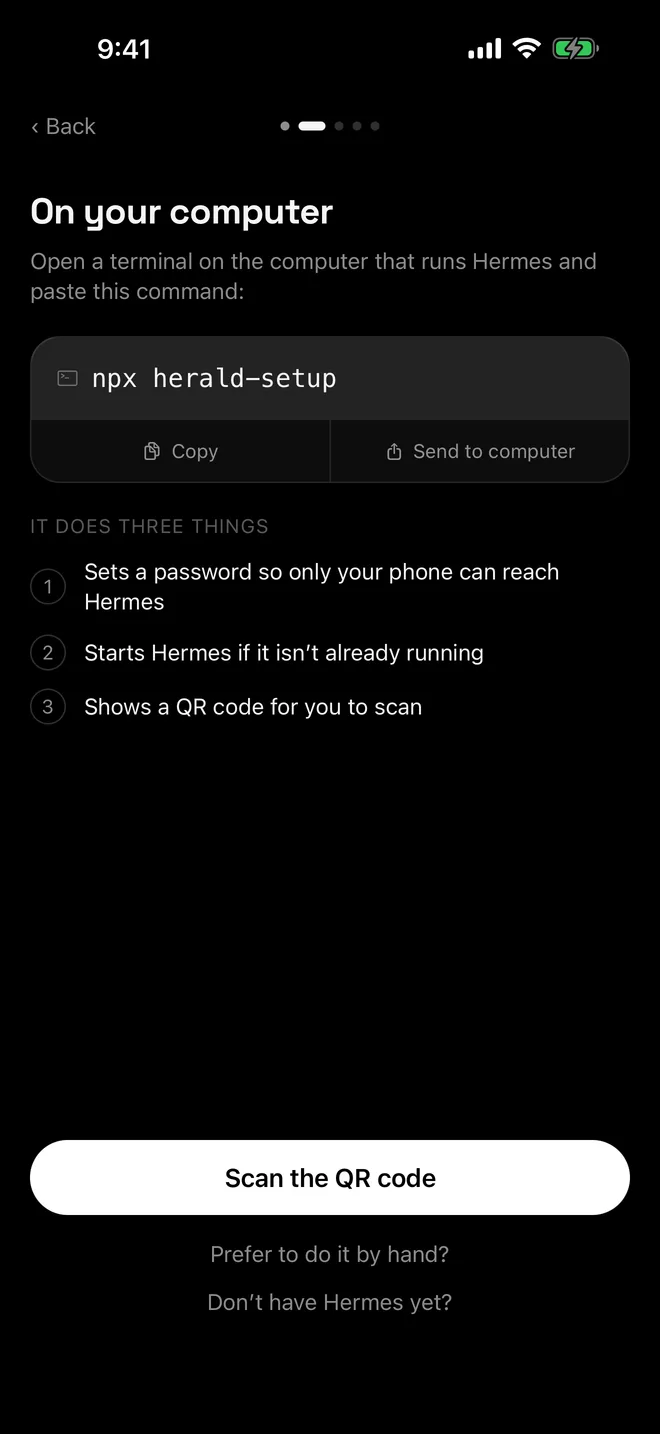
curl -fsSL https://tailscale.com/install.sh | sh sudo tailscale up - Run herald-setup
If Linux refuses the Tailscale Serve change for your user, herald-setup says so and suggests
sudo tailscale set --operator=$USER. Run that, then run the helper again.npx herald-setup - Scan the QR code in Herald
Tap Scan the QR code in Herald. If the terminal can’t draw the code, herald-setup prints the address, username and password to type into Enter an address manually instead.
Keep Hermes running with systemd
herald-setup runs Hermes as a child process, so Hermes stops when you press Ctrl-C. The Hermes docs recommend keeping hermes serve under systemd, tmux or another process manager so it survives logout and reboots. The user service below keeps Hermes on 127.0.0.1, where Tailscale Serve expects to find it.
Pair first, press Ctrl-C to stop the copy herald-setup started, then enable the service. To pair again later while the service runs, use npx herald-setup --no-serve; if it says Hermes is running with the old settings, run systemctl --user restart hermes-serve.
[Unit]
Description=Hermes Agent backend for Herald

[Service]
ExecStart=%h/.local/bin/hermes serve --port 9119
Restart=always
RestartSec=10
RestartPreventExitStatus=78

[Install]
WantedBy=default.target~/.config/systemd/user/hermes-serve.service. Adapted from the systemd example in the Hermes web dashboard docs, using the installer’s ~/.local/bin/hermes wrapper as Hermes recommends for services. Exit code 78 means another Hermes backend already serves this machine.systemctl --user daemon-reload
systemctl --user enable --now hermes-serve
sudo loginctl enable-linger "$USER"Laptops, sleep and updates
A Linux laptop may suspend when idle, which takes Hermes offline. The Hermes docs suggest systemd-inhibit --what=idle:sleep --who=hermes --why="Herald" sleep infinity & to block idle sleep for as long as it runs.
After hermes update, run systemctl --user restart hermes-serve so Hermes runs the new code. The Hermes update guide notes that backends you start yourself aren’t restarted for you.
Same network, no Tailscale
- herald-setup picks your LAN address, keeps Hermes on 127.0.0.1 and opens only that one address on port 9119 while it runs. It never listens on
0.0.0.0unless you pass--bind-all. - If you run a firewall, allow TCP port 9119 from your local network.
- Traffic is plain HTTP, so your password crosses the network unencrypted. Read same-Wi-Fi access for the details.
Troubleshooting
- Command not found: hermes. Reload your shell with
source ~/.bashrc, or check that~/.local/binis on your PATH. - Hermes did not answer within 180 seconds. Run
hermes serve --port 9119in another terminal to see the error. Output from the Hermes that herald-setup started is in~/.hermes/logs/herald-setup.log. - The service won’t start. Read its log with
journalctl --user -u hermes-serve. - The phone can’t connect. See Herald can’t connect and Tailscale HTTPS certificates.
Questions
Which Linux distributions work?
Hermes treats Linux on x86_64 and aarch64 as a top-tier platform and tests on the latest Ubuntu. Its docs say a distribution with glibc, systemd and the standard filesystem layout is likely to work well.
Can I run herald-setup over SSH?
Yes. In an interactive SSH session it asks its questions and draws the QR code in your terminal. Without a terminal, for example ssh host npx herald-setup, it takes every default instead.
Why does herald-setup ask me to run sudo tailscale set --operator?
On Linux, changing Tailscale settings such as Serve needs root unless your user is Tailscale’s operator. That command makes your user the operator, so herald-setup can run tailscale serve without sudo.
Does Herald use the API server on port 8642?
No. Herald talks to the dashboard backend, hermes serve, on port 9119. Hermes’ OpenAI-compatible API server on port 8642 is for other tools and can stay off.

