
Why WSL2
Herald’s documentation lists macOS and Linux for the computer that runs Hermes, so on Windows the route this guide covers is WSL2. Hermes inside WSL2 behaves almost exactly as it does on Ubuntu, and its installer treats WSL2 as plain Linux. Use WSL2, not WSL1: Hermes doesn’t work reliably on WSL1.
WSL2 runs Linux in a lightweight virtual machine with its own network stack. Most problems come from that boundary, so decide how your phone will reach Hermes before you pair.
Requirements
- Windows
- Windows 10 22H2 or later, or Windows 11, for
wsl --install - Mirrored networking
- Windows 11 22H2 or later
- WSL
- Version 2; check with
wsl --list --verbose - Distribution
- Ubuntu LTS, which Hermes tests against
- Node.js
- 20 or newer inside WSL2, for
npx herald-setup
Install Hermes in WSL2
- Install WSL2
In an administrator PowerShell window, run the command below, restart when asked, then create your Linux user.
wsl --install - Turn on systemd (recommended)
Add these lines to
/etc/wsl.confinside Ubuntu, runwsl --shutdownin PowerShell and reopen Ubuntu. The Hermes WSL2 guide has the full file.[boot] systemd=true - Install Hermes inside Ubuntu
Run the Linux installer in the WSL2 terminal, not in PowerShell.
curl -fsSL https://hermes-agent.nousresearch.com/install.sh | bash
source ~/.bashrc
Choose how your phone reaches WSL2
| Option | How it works | Away from home | Watch out for |
|---|---|---|---|
| Default (NAT) networking | WSL2 gets its own virtual adapter and address | No | Your phone can’t reach that address, and it is the one herald-setup finds inside WSL2 |
| Mirrored networking | WSL2 mirrors your PC’s network interfaces, so it sees your Wi-Fi address | No | Needs Windows 11 22H2 or later; the Hyper-V firewall may block inbound connections |
| Tailscale inside WSL2 | WSL2 joins your tailnet as its own machine, and herald-setup sets up Serve itself | Yes | Tailscale calls this an advanced setup and warns against also running Tailscale on Windows |
| Tailscale on Windows | Tailscale’s recommended setup for WSL users | Yes | herald-setup inside WSL2 can’t see it, and Herald’s docs don’t cover this setup |
herald-setup looks for a Linux tailscale command, so from inside WSL2 it only finds Tailscale installed in WSL2 itself.
Turn on mirrored networking
[wsl2]
networkingMode=mirrored%USERPROFILE%\.wslconfig on Windows, then run wsl --shutdown. From the Hermes WSL2 guide and Microsoft’s WSL networking docs.Set-NetFirewallHyperVVMSetting -Name '{40E0AC32-46A5-438A-A0B2-2B479E8F2E90}' -DefaultInboundAction AllowNew-NetFirewallHyperVRule.Pair Herald
- Run herald-setup inside Ubuntu
Use the same WSL2 terminal where
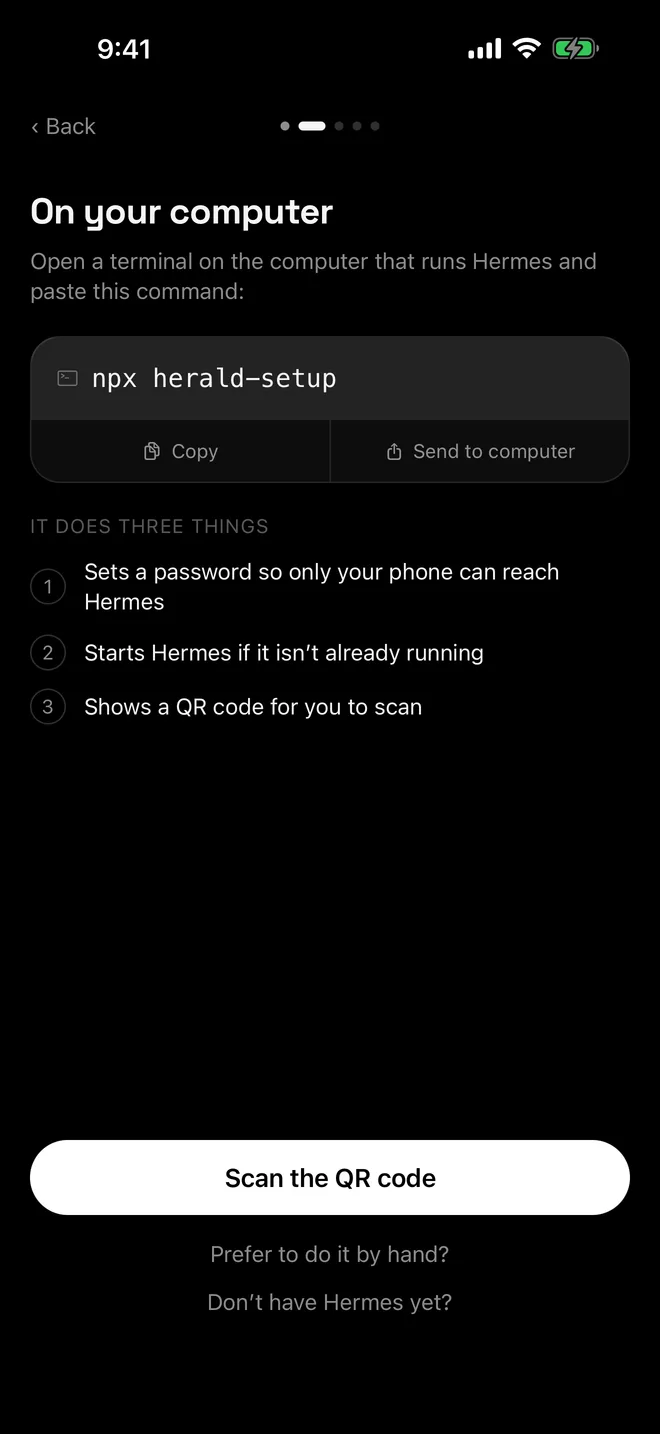
hermesworks. With mirrored networking it offers your Wi-Fi address; with Tailscale inside WSL2 it offers the WSL machine’sts.netname.npx herald-setup - Scan the QR code in Herald
Tap Scan the QR code in Herald and point the camera at the terminal.
- Keep WSL2 running
WSL2’s virtual machine only stays up while something uses it. The Hermes WSL2 guide keeps it alive with a Task Scheduler task at logon that runs
wsl.exe -d Ubuntu --exec /bin/sh -c "sleep infinity".
Troubleshooting
- Hermes not found after installing. Run
source ~/.bashrcor open a new terminal. - The phone can’t connect over Wi-Fi. In NAT mode it never will. Turn on mirrored networking and allow inbound connections through the Hyper-V firewall.
- DNS breaks after turning on mirrored mode or a VPN. The Hermes WSL2 guide explains how to write your own
/etc/resolv.conf. - HTTPS errors after the PC wakes from sleep. WSL2’s clock can fall behind;
sudo hwclock -sfixes it. - For anything else, see Herald can’t connect.
Questions
Can I run Hermes natively on Windows instead?
Hermes Agent supports native Windows, but Herald’s documentation lists macOS and Linux for the Hermes computer, and herald-setup isn’t documented for native Windows. WSL2 is the route this guide covers.
Should I install Tailscale in WSL2 or on Windows?
Tailscale recommends running it on Windows only, and warns that running it in both places breaks traffic from WSL2. herald-setup can only set up a Tailscale it finds inside WSL2, though. If you already use Tailscale on Windows, don’t add a second copy in WSL2; pair over your Wi-Fi with mirrored networking instead.
Why does Herald stop connecting when I close the terminal?
If herald-setup started Hermes, closing its window stops Hermes. On Wi-Fi, the window also carries your phone’s connection. WSL2 itself shuts down when nothing is using it, so keep it running as described above.
Which address does herald-setup pick in NAT mode?
The WSL2 virtual machine’s own address, which only your PC can reach. Microsoft describes WSL2 as having its own virtual network adapter and IP address, which is why NAT mode doesn’t work for a phone.

